About the product
Talk to your photos.
Presets got us this far. Now you can just say what you want. Presets Agent lets AI drive Lightroom's sliders while you stay in the workflow you already know.
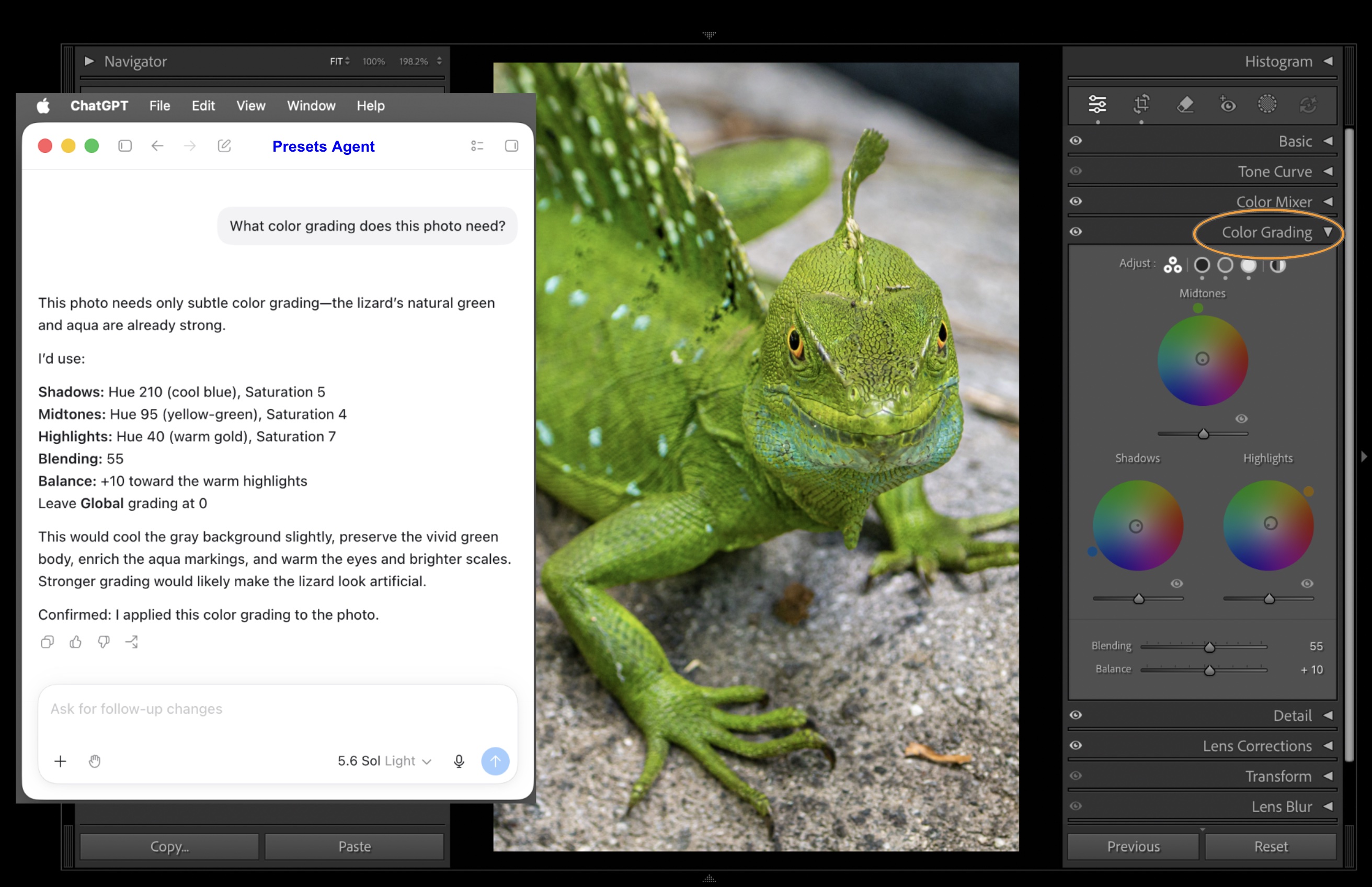
ChatGPT doing color grading in Lightroom Classic using Presets Agent.
Why it exists
Lightroom Classic is where the work happens — your catalog, your presets, your develop workflow. But editing still means dragging sliders one at a time, tweaking by eye, hoping you get closer to the look in your head.
Presets Agent changes that. It lets an AI read your photo, propose adjustments, apply them, compare results, and iterate — all inside Lightroom. No new editor to learn. No export round-trips. Just describe what you want.
Architecture at a glance
LLM AI Agent
Runs the agentic workflow and interacts with the user. Converts natural language into Lightroom slider values and sends commands to Presets Agent via MCP or HTTP.
Presets Agent
Runs locally. Accepts commands from any AI client and coordinates work between the AI and the Lightroom plug-in.
Lightroom Classic plug-in
Executes operations inside Lightroom Classic — reading settings, applying edits, exporting previews — using the standard plug-in model.
Gemini APIs
Direct access to Gemini APIs via the customer's own Google Cloud project, enabling image analysis beyond what standard LLM chat interfaces offer.
Security and privacy
Presets Agent is designed with a local-first architecture.
Runs on your machine
The Presets Agent runs locally. Your photos and catalog are never sent to our servers. The AI assistant you connect can see your images and their editing settings as part of doing its work — that's governed by the AI app's own privacy policy, not ours. If you optionally configure Gemini pass-through, images go directly to Google using your own credentials.
No lock-in
You control your prompts, your images, and your workflow. Presets Agent just routes commands — it never stores, learns from, or locks away your work.
Signed and notarized
The app is Developer ID signed and notarized by Apple, so macOS Gatekeeper trusts it out of the box.
Full creative control
Every AI-proposed edit is visible in Lightroom's Develop module. You can undo, tweak, or reject any change the AI makes.
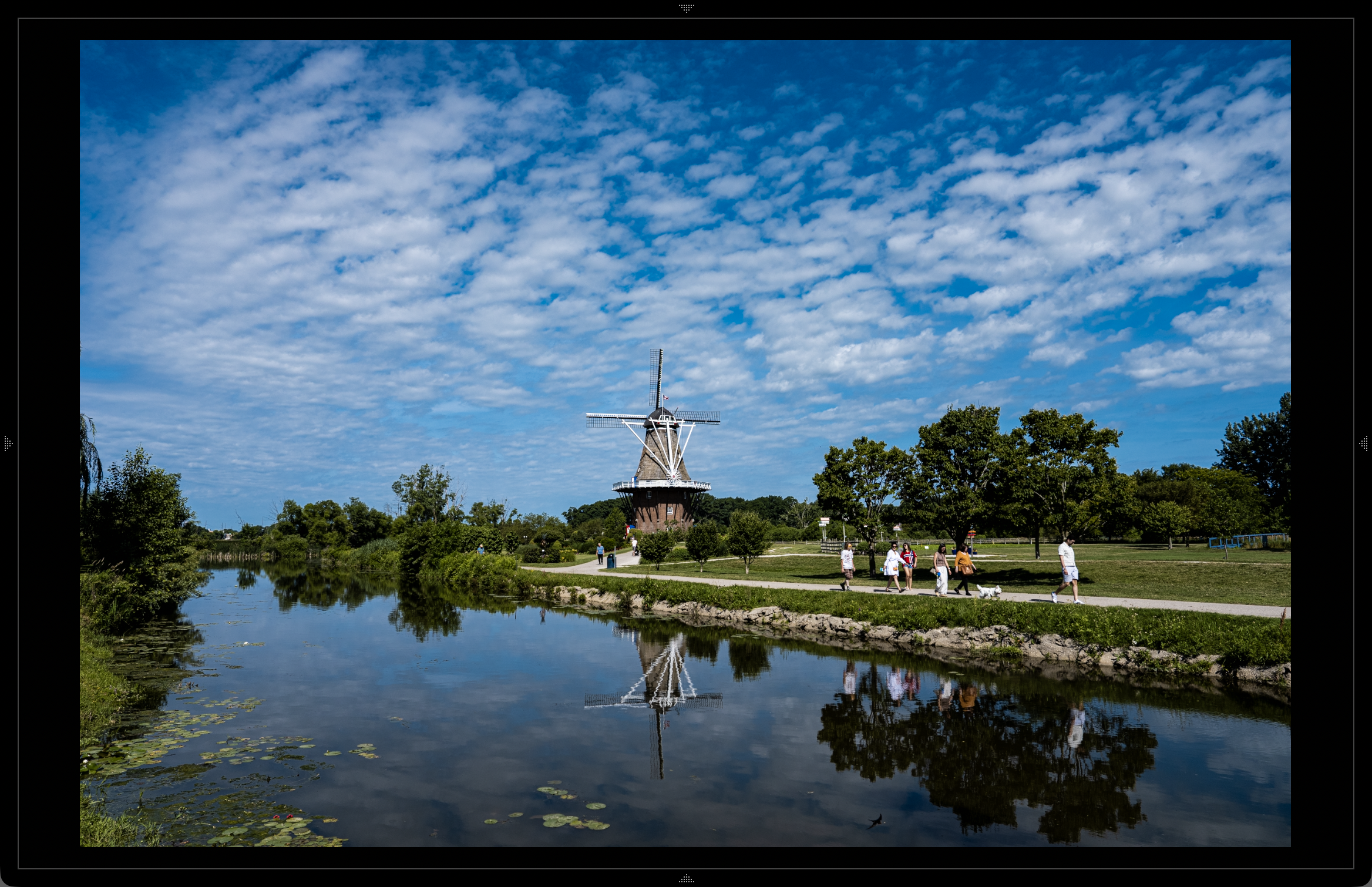
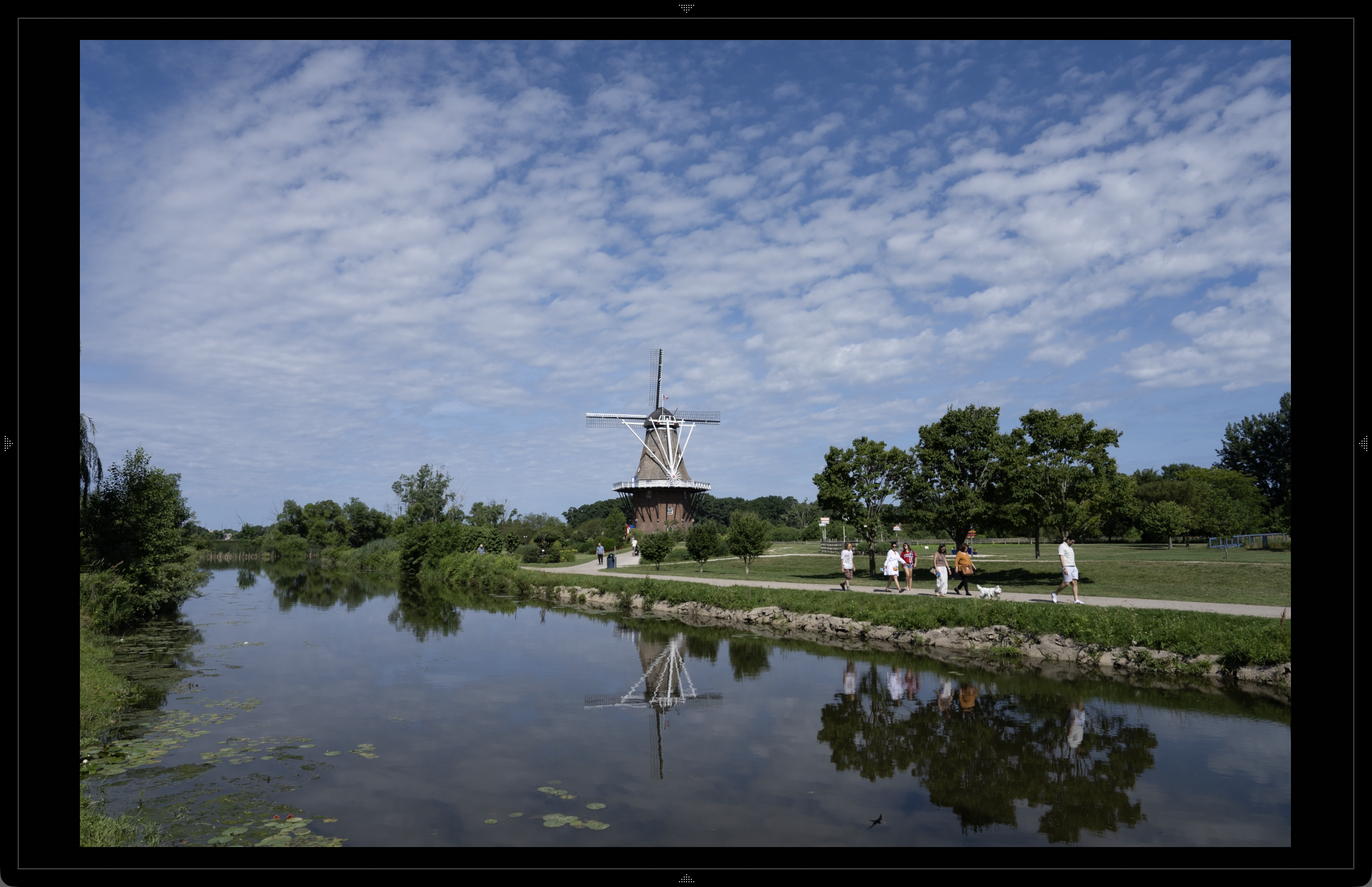
Fujifilm Velvia film emulation — AI creates vivid colors and deep contrast from a flat RAW file.
Watch the full edit — AI applies the Velvia look step by step, entirely by voice.
System requirements
- ✓ macOS (Apple silicon or Intel)
- ✓ Presets Agent with Lightroom plug-in enabled
- ✓ Valid Presets Agent license
- ✓ Adobe Lightroom Classic
- ✓ Any locally running AI LLM client with MCP or HTTP support (Claude, ChatGPT, Cursor, Kiro, etc.)